
You’ve set up an assistant in Vio, wired it into your orders and customers, and it genuinely helps. Then comes the practical question every owner asks: which messaging app should you connect first — WhatsApp or Telegram?
Search “WhatsApp vs Telegram” and you’ll mostly find feature fights about things that have nothing to do with running a business. None of that helps you decide. Here’s the honest answer, before anything else: in Vio, the assistant behaves the same on either channel. The real differences are in how you connect each channel and how you manage its credentials afterwards. This post compares exactly those things — nothing invented, nothing padded.
The honest answer up front
There is no “better AI” hiding in either app. A channel in Vio is a route to one of your workspace’s assistants. Whichever you connect, the same assistant answers you — the same persona, the same skills, and the same access to the same records: customers, products, orders, invoices, and analytics.
So “WhatsApp vs Telegram” is not a contest about answer quality. It’s a choice between two connection methods and two ways of managing credentials:
- WhatsApp links to Vio through QR pairing with the WhatsApp app on your phone, and your workspace shows the linked phone number.
- Telegram links to Vio through a bot token you create in BotFather, which a workspace admin pastes when creating the channel.
That’s the whole decision. Pick by how you like to work and how you like to handle credentials — the sections below show exactly what each one involves.
WhatsApp vs Telegram at a glance
| Aspect | Telegram | |
|---|---|---|
| How you connect it | QR pairing with the WhatsApp app on your phone | Bot token created in BotFather, pasted by a workspace admin |
| What the workspace shows | Connection status and the linked phone number | The bot token, editable by the admin |
| Reconnecting and managing | Reopen the pairing view if the channel is still connecting or has disconnected | Edit the bot token from the same view when you need to rotate it |
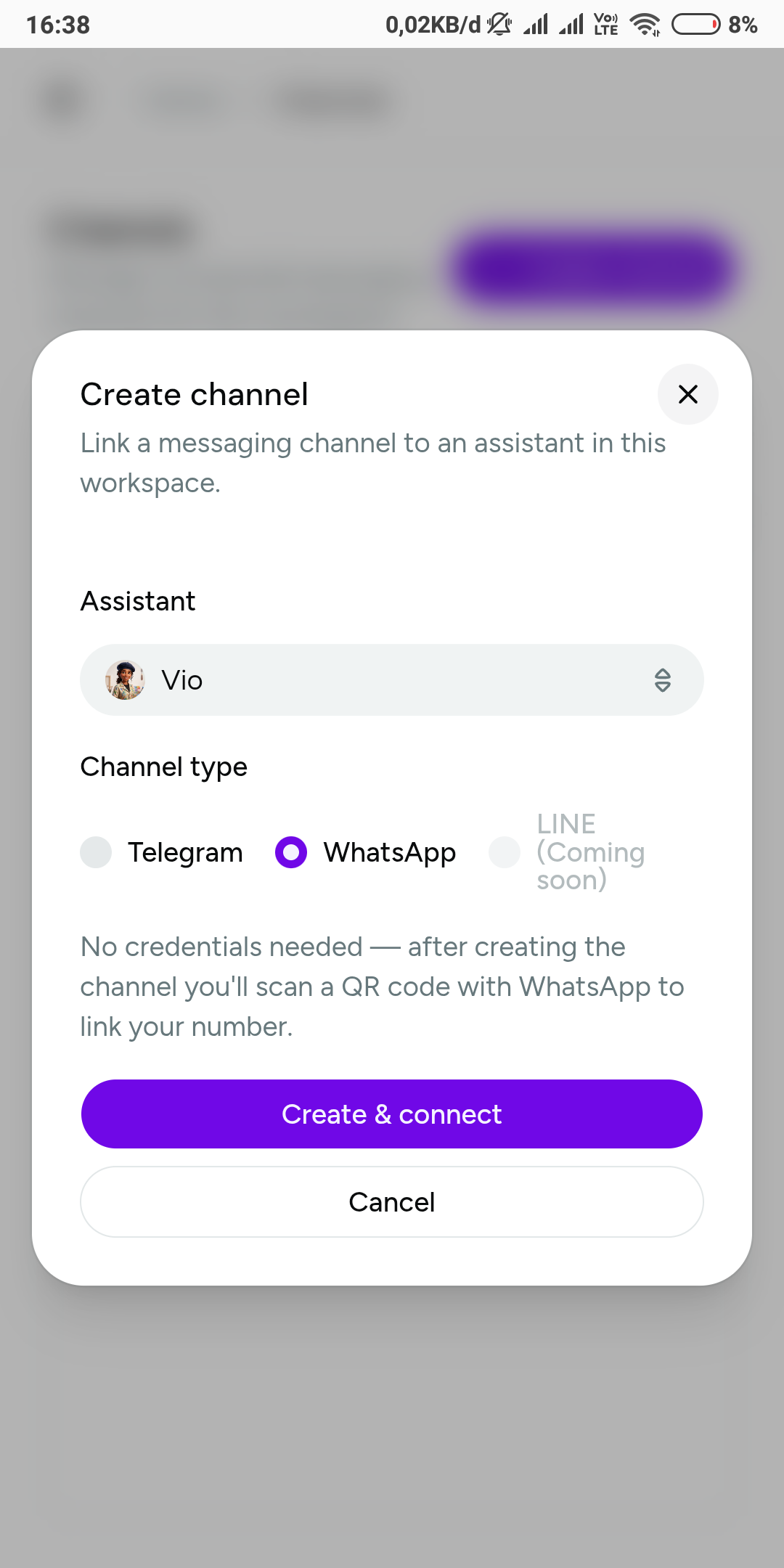
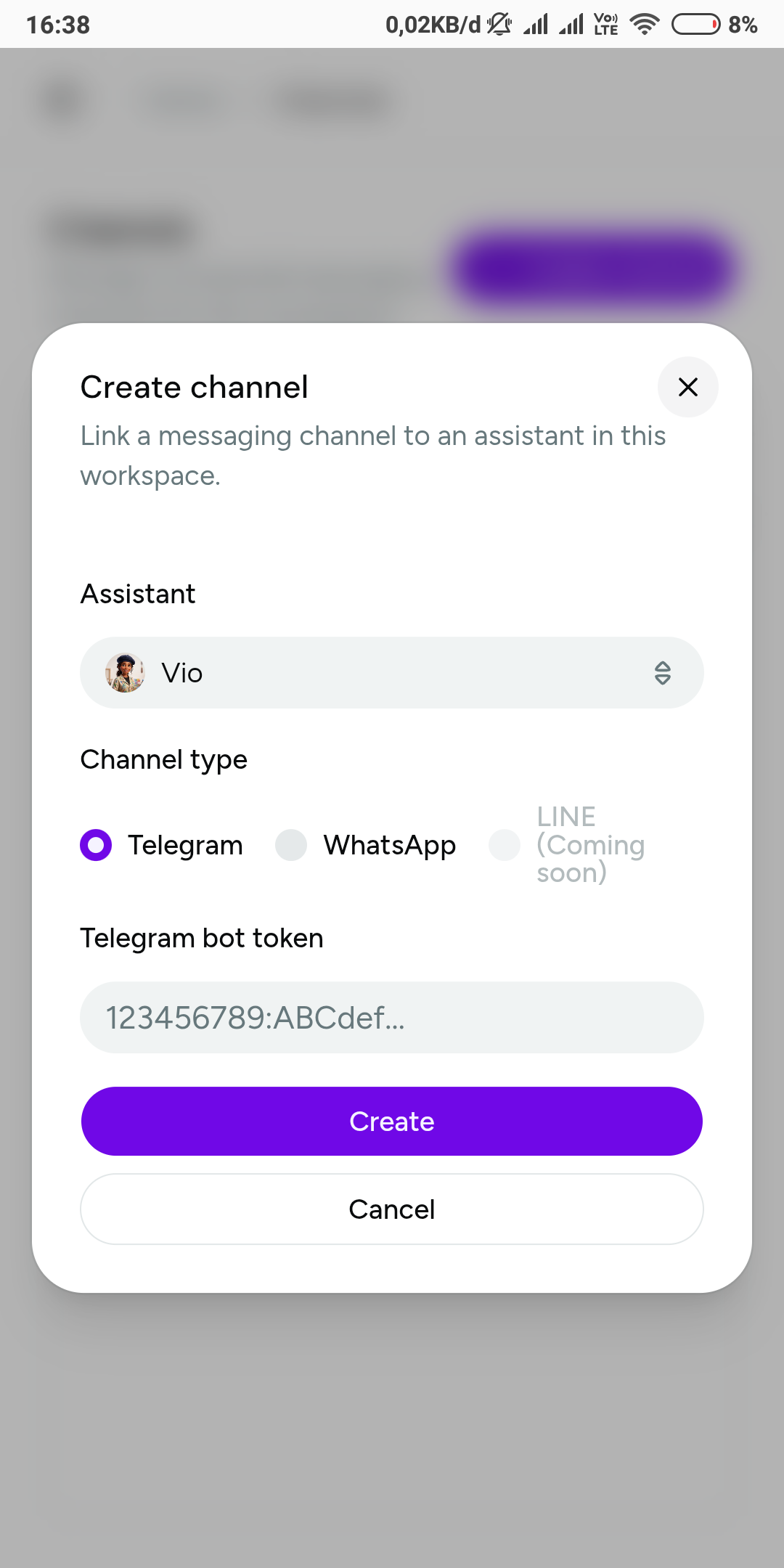 Two flows, two credentials: WhatsApp asks for nothing up front — QR pairing follows creation. Telegram wants the bot token in the form itself.
And here is what doesn’t differ between the two, because the differences many people go hunting for simply aren’t there:
- Creating a channel is admin-only on both platforms.
- Every channel is bound to one assistant, so different channels can serve different purposes.
- Channels appear in one list with a live status badge, and an admin can delete a channel from the same view.
- The assistant itself — its personality, skills, and AI usage budget — belongs to your workspace, not to the messaging app.
How WhatsApp connects to Vio
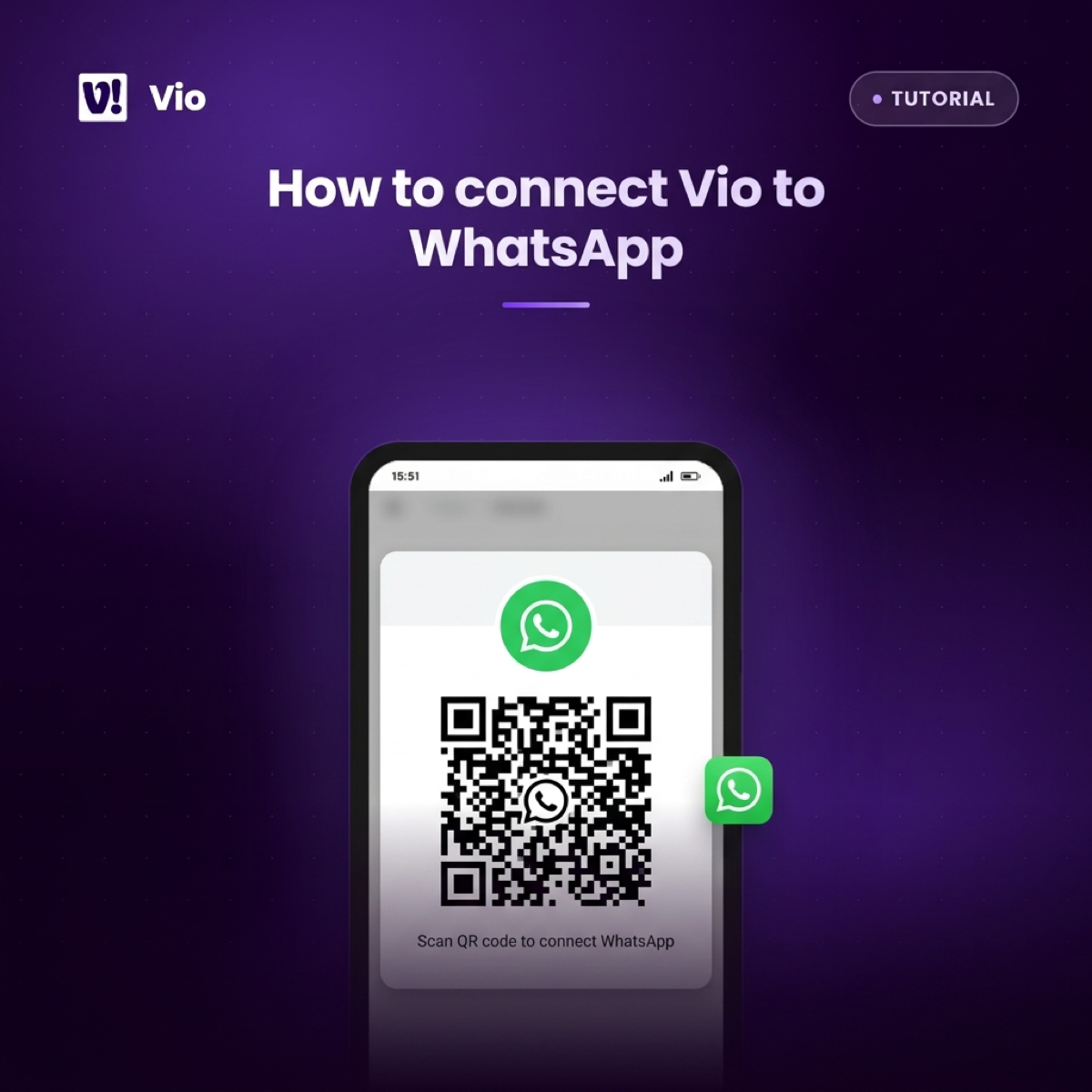
WhatsApp is the option with no moving parts to build in advance. An admin in your workspace creates a WhatsApp channel, picks the assistant that should sit behind it, and the pairing view shows a QR code. You scan that code with the WhatsApp app on your phone, and the channel lands in your list with a live status badge and the linked phone number visible — so you always know which number is carrying the connection.
Management follows the same shape: if the channel is still connecting or has disconnected, you reopen the pairing view from the list and pair again. Closing the dialog mid-pairing doesn’t lose the channel; its status stays right there in the list.
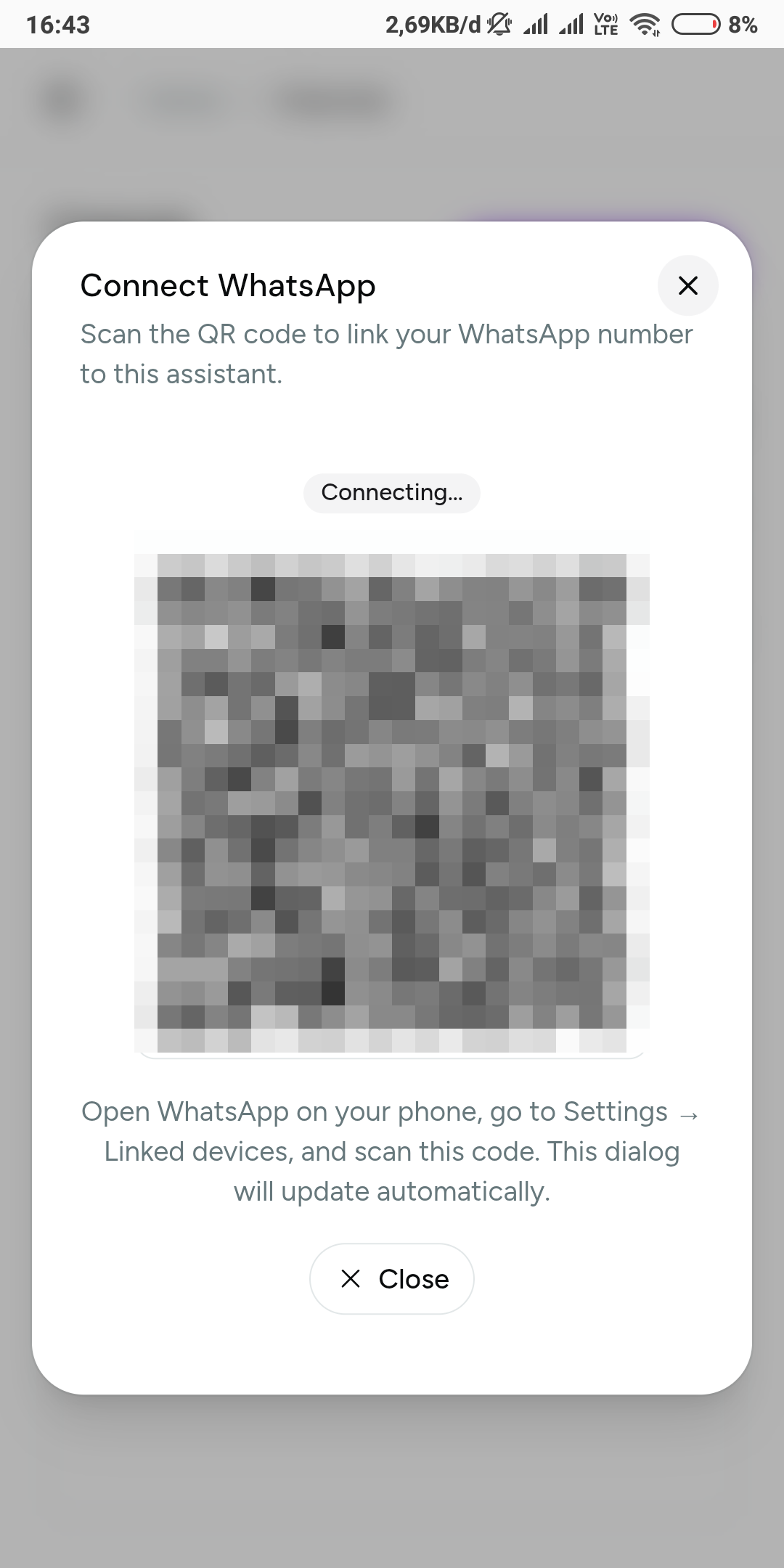 The WhatsApp pairing view — the code is pixelated, since a live pairing code is a credential. Once scanned, the channel list shows the connection status and the linked phone number.
For the full walkthrough, see how to connect Vio to WhatsApp.
How Telegram connects to Vio
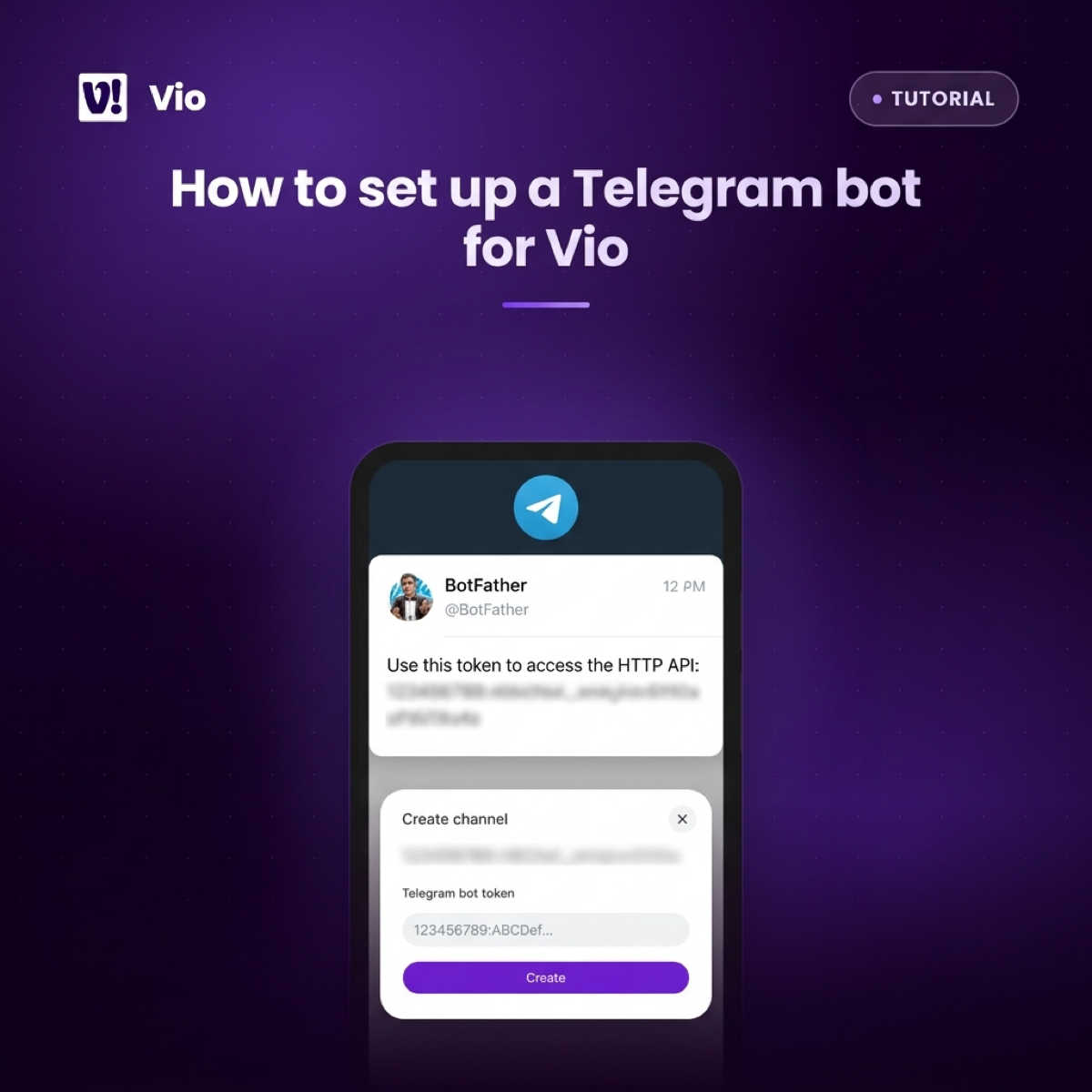
Telegram works the other way around: you prepare a bot first, then paste a credential. Open BotFather — Telegram’s official tool for creating bots — make a bot, and copy the bot token it gives you. Then a workspace admin creates a Telegram channel and pastes that token into the form.
The channel is carried by a bot and its token, so creating it doesn’t involve pairing with your phone. And the credential stays in your hands: if a token needs replacing — say you want to rotate it for good order — the admin edits the bot token from the same channel view in Vio.
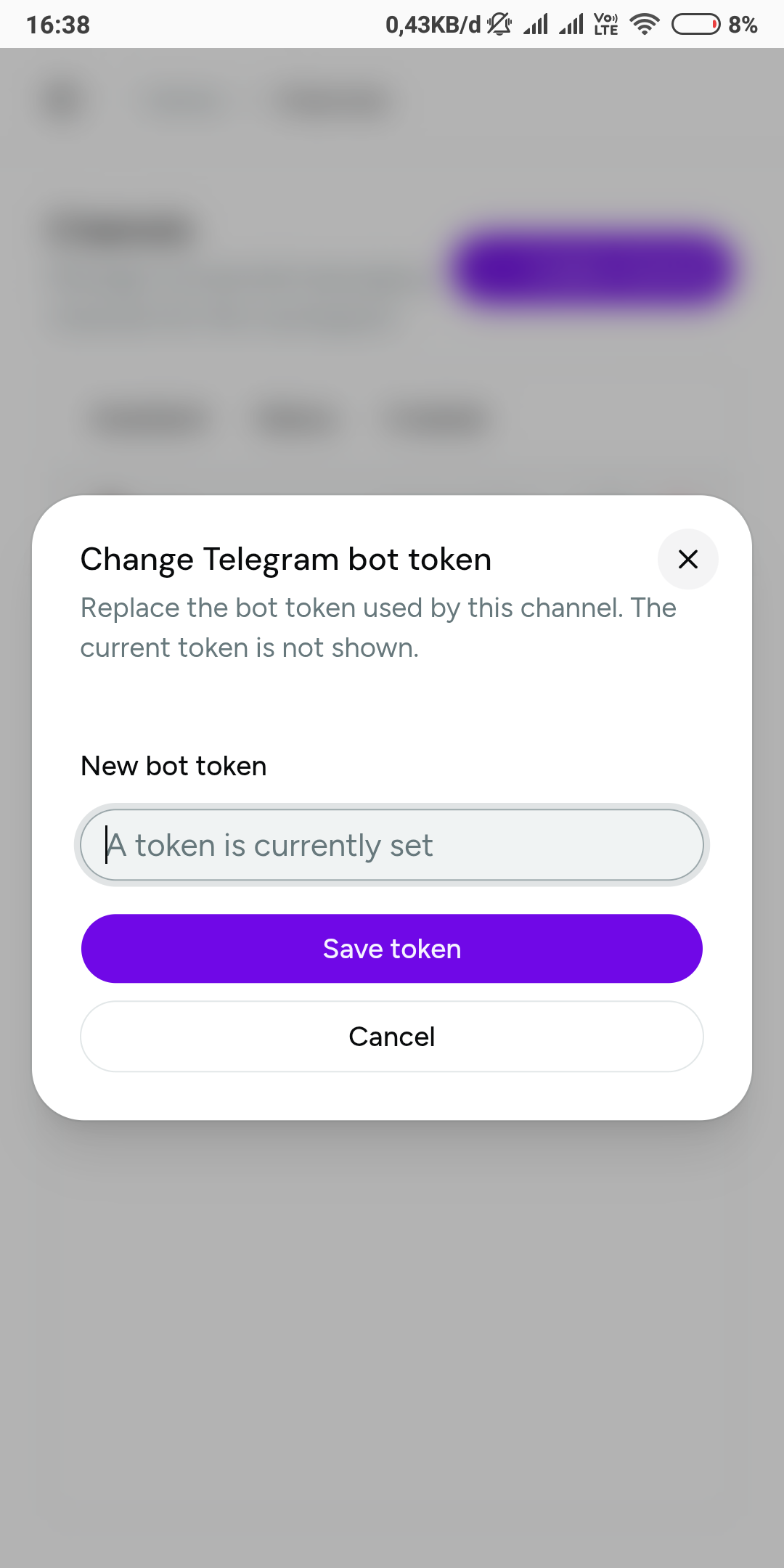 The admin-only token edit — replace the bot token any time without recreating the channel.
For creating the bot and its token step by step, see how to set up a Telegram bot for Vio. The shared basics for any channel — attaching an assistant, status badges, deleting channels — are covered in how to connect a channel to your assistant in Vio.
Which messaging app for business: four decision factors
With the mechanics on the table, the choice comes down to four honest questions.
1. Which app do you already keep open all day? The channel worth connecting first is the one you’ll actually message. If your working conversations happen in WhatsApp, a Telegram bot you check twice a week won’t make the assistant part of your routine — and the reverse holds too.
2. How do you feel about managing a bot token? WhatsApp asks nothing of you outside the Vio view: scan, done, and re-scan if it ever drops. Telegram hands you a credential you create in BotFather and store somewhere safe. If you’re comfortable pasting a token and rotating it when needed, that control is a feature. If credentials make you uneasy, the QR flow is friendlier.
3. Do you want a phone-number identity or a bot identity? Your WhatsApp channel is anchored to a real phone number, shown in the workspace next to its connection status. Your Telegram channel is anchored to a named bot with an editable token. Neither is better — they just feel different to work with day to day.
4. Are you splitting assistants by job? One assistant per channel lets you keep roles separate: an assistant tuned for daily store work on one channel, a different one for another job on the other. If that separation appeals, the question stops being “which app” and becomes “which app for which assistant”.
Our recommendation by owner type
- You’re a solo owner living in WhatsApp all day. Connect WhatsApp first. Pairing is a single scan with the app you already have open, and the workspace keeps showing you the status and the number behind the channel.
- You’re the ops-minded owner who wants a dedicated bot. Connect Telegram. You set the bot up once in BotFather, hand the token to your workspace admin, and from then on the credential is editable and rotatable from the channels view.
- You want both. Do it. Two channels, two assistants — each bound to the assistant that fits its job — side by side in one channel list, each with its own live status badge.
Whichever you start with, nothing is locked in. Adding the other channel later is one more admin action in the same view.
Frequently asked questions
Is one channel better for the assistant?
No. The same assistant — its persona, skills, and workspace data — reaches you over WhatsApp and over Telegram. The channels differ only in how you connect them and manage their credentials, not in how the assistant works.
Can I connect both WhatsApp and Telegram to Vio?
Yes. A workspace can have more than one channel, and each channel is bound to one assistant, so you can run different assistants for different purposes on different channels.
Who can create and manage channels?
Admins only, consistent with the rest of your workspace settings. An admin creates channels, reopens WhatsApp pairing, edits Telegram bot tokens, and deletes channels from the same view.
What do I need before connecting either channel?
An assistant in your workspace to attach the channel to, plus the WhatsApp app on your phone for WhatsApp, or a bot token from BotFather for Telegram. Both are created from the same Channels view in Vio.
Does the channel affect my AI usage budget?
No. The daily AI usage budget is measured per workspace, so it doesn’t matter which channel you reach your assistant from — same assistant, same budget.
Conclusion: pick the channel that matches your habits
The honest version of WhatsApp vs Telegram for a business assistant is short: the assistant doesn’t change, the plumbing does. Connect WhatsApp when you want QR pairing and a channel tied to your phone number. Connect Telegram when you want a dedicated bot whose token you manage yourself. Or run both and give each assistant its own channel.
Start with the app you’ll actually open during the workday — you can always add the other one from the same screen.
0 Comments
Join the conversation