

A common worry about AI assistants is “how will it know my business?” With Vio, the honest answer is simple: it knows what your workspace knows — from the very first message. Teaching it is not a prompting trick but a setup job: put the facts where the assistant can read them, fix its tone once, and steer conversations that drift.
This post walks through what the assistant actually reads: the settings that describe your business, the records it answers from, the personality you configure once, and the controls for a live conversation. If you have not created an assistant yet, start with how to create your first AI assistant in Vio.
One caveat: this assistant works for you — the owner — and Vio is a back office, not a customer-facing chatbot, POS, or support desk.
The settings that speak once
A Vio assistant learns about your business from your workspace settings — business name, business details, currency, tax rate, bank account, and social links. That’s the picture it works from, so you don’t repeat those facts in every message — ask about money and answers come in your workspace currency.
This part flows into everything: a stale tax rate doesn’t just sit in a settings screen — it starts every answer. A complete profile is the cheapest teaching there is: say it once, and every message inherits it.
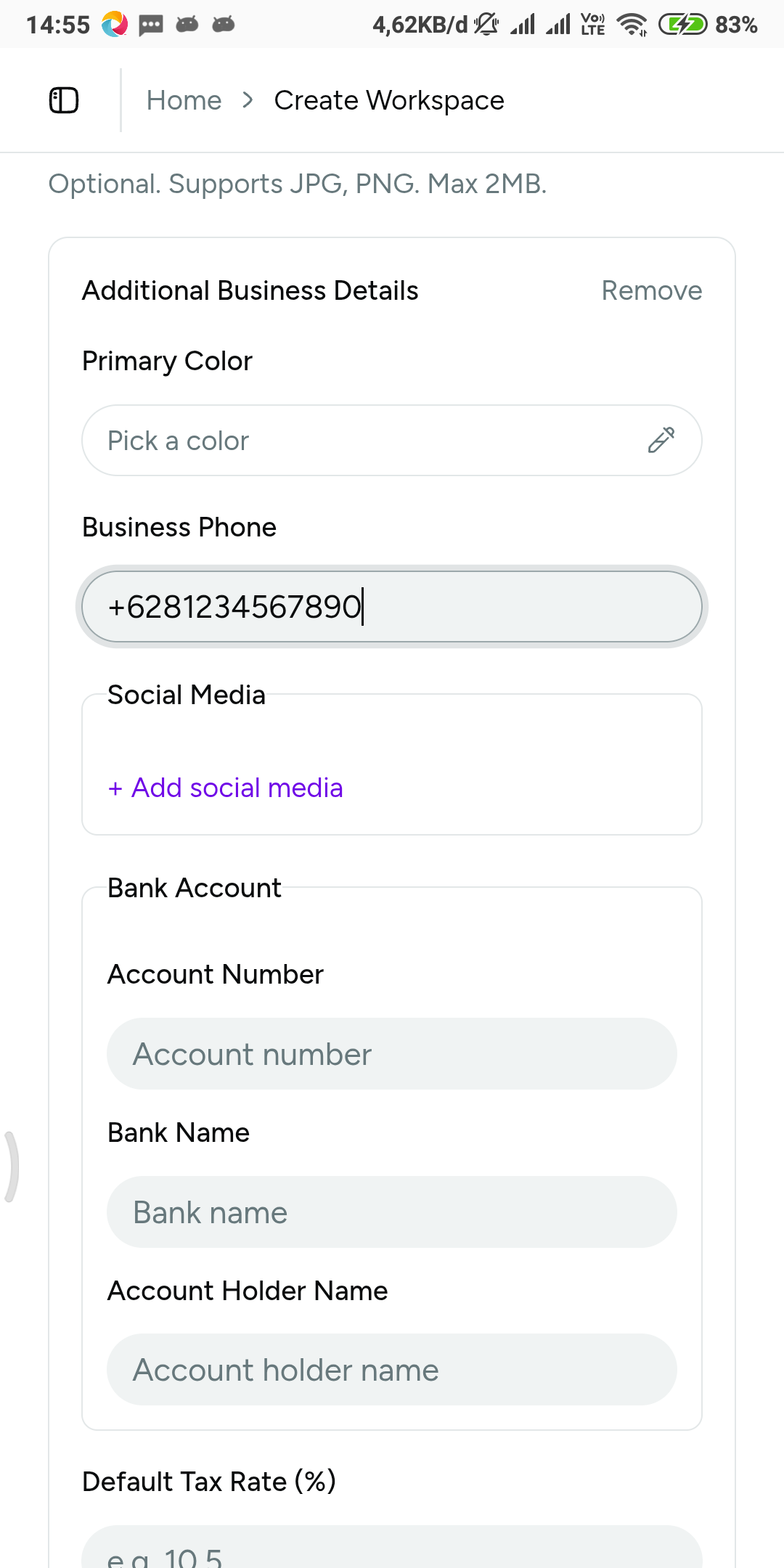 The business context the assistant works from — filled in once, used in every conversation.
Your records are its memory
Settings are the frame. The substance lives in your records — customers, products, and the orders that connect them — with three dependencies worth knowing:
- Products carry the answer before the question. Your catalog holds selling price, cost price, stock, a made-to-order flag with prep days, SKU, and images. When an order line picks a product from the catalog — you in the form, or the assistant in chat — its name and price fill in automatically. A wrong price is baked into every order that touches it. And cost price is the field that turns “what sold best this month?” into “what sold best — and what did it earn?”, because gross-profit and top-product analysis builds on it. Analytics even flags cost coverage, so you know how complete the profit picture is.
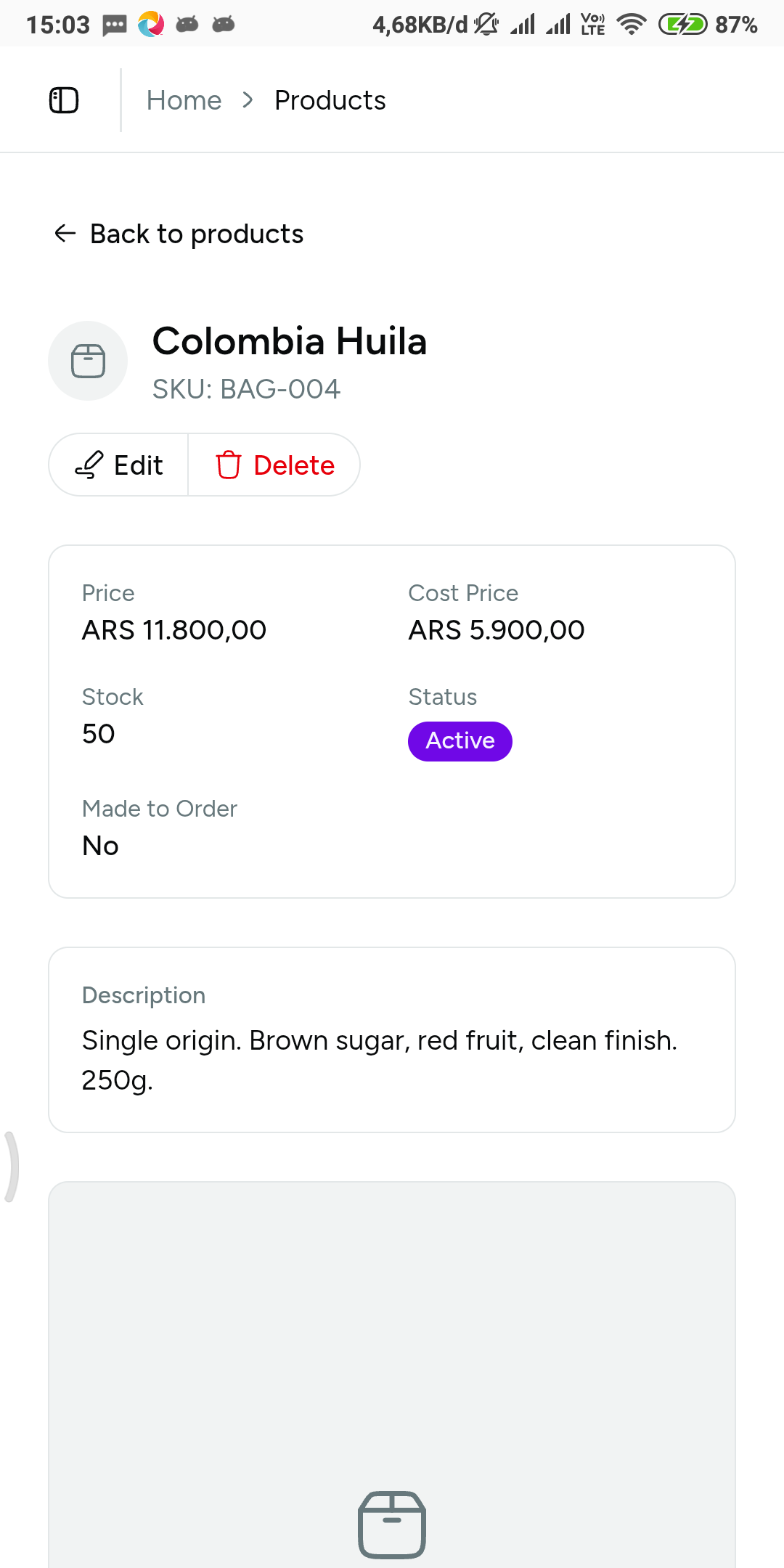 Cost price is what upgrades “what sold?” to “what earned?” — leave it out and the assistant only has half the story.
- Customers save the typing — and the mistakes. A customer record keeps name, client reference ID, contact details, notes, and multiple labeled addresses with one marked default. On an order, the default address auto-fills billing and shipping, and any saved address can be applied to either block.
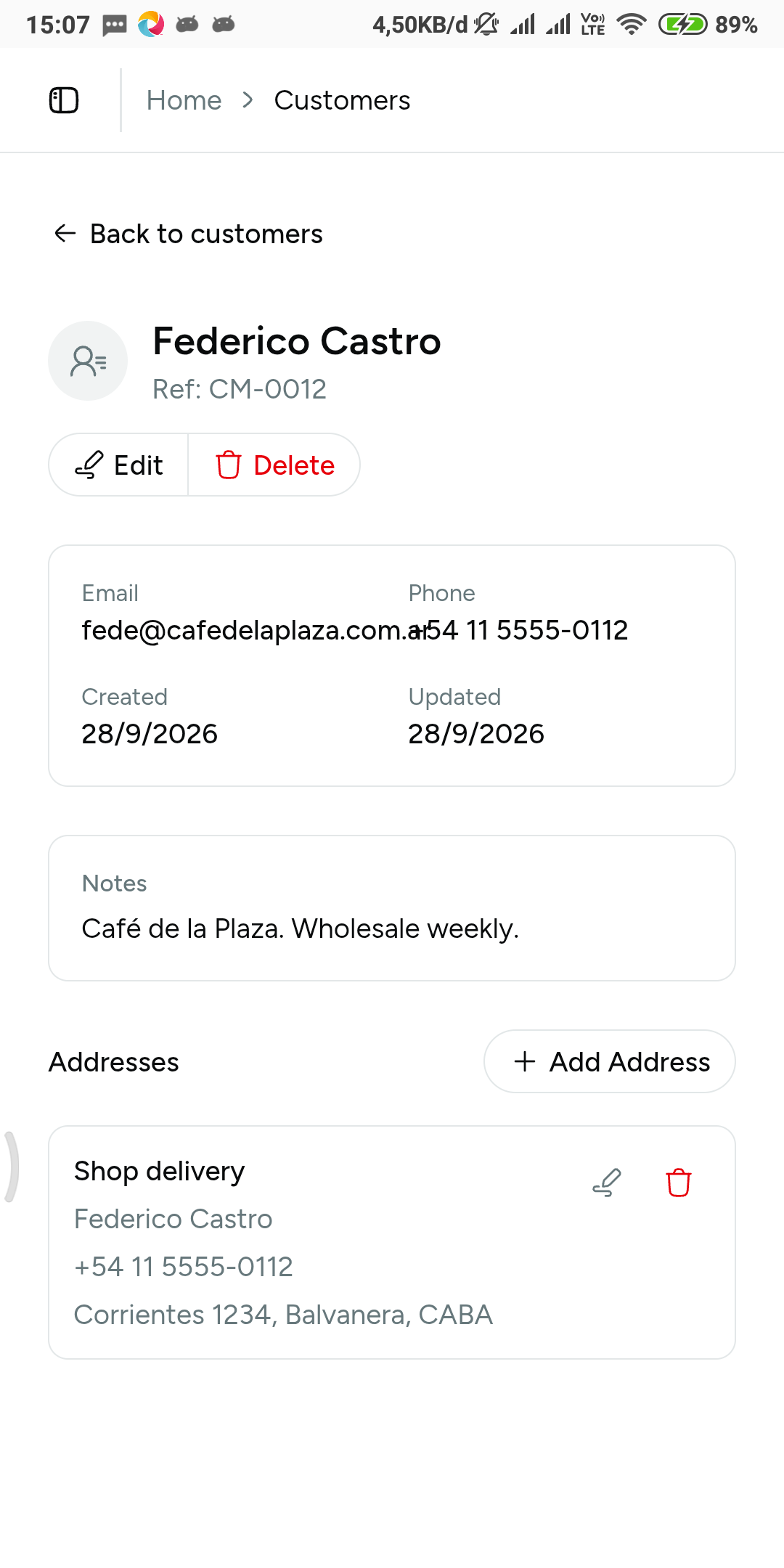 A default saved address means billing and shipping fill themselves on the next order.
- Orders connect the story. One record ties the customer, the products, payment tracked separately from fulfilment, and shipping details — reliable context for follow-up work: an invoice drafted from an order pulls the customer, items, and totals with nothing retyped.
Filling the records is field-by-field work, already covered step by step in how to add a product in Vio, how to add a customer in Vio, and how to create an order in Vio — the forms don’t need repeating here. The point is upstream: those records are not paperwork. They are what the assistant knows.
The honest limit: what isn’t in the workspace isn’t knowable, and record quality shows up in the answers. A missing cost price doesn’t stop a sale — profit answers just go thin. A customer with no saved address doesn’t block an order — free-form items and inline customer creation cover that — but nothing auto-fills what was never saved. Accurate records are the teaching.
Tone and language, set once
Each assistant has its own identity: avatar, name, a personality you describe, and an optional language. Leave the language unset and it responds in the customer’s language by default — handy if your chats arrive in more than one. A consistent tone is configured rather than requested message by message, and a workspace can run multiple assistants, each with its own personality. Configuration details live in the assistant setup guide.
Steering a conversation while it runs
Teaching doesn’t end before you hit send. While a conversation is live, you control it:
- Watch the steps. Reasoning and tool-call visibility show what the assistant is doing — lookups and actions appear as steps — so you see the work, not just the final answer.
- Edit a sent message. When the answer went sideways because the question was vague, fix the wording and run again from a corrected ask.
- Regenerate a response, or stop generation mid-stream when it’s heading somewhere you don’t want.
- Attach context. Messages take images and files — a product photo can travel with the request it explains; large images are compressed before upload.
- Speak instead of typing where your platform supports voice dictation.
- Review the history. Chat history is kept per assistant: sessions with message counts and relative activity time, searchable, deletable one by one, or cleared in bulk.
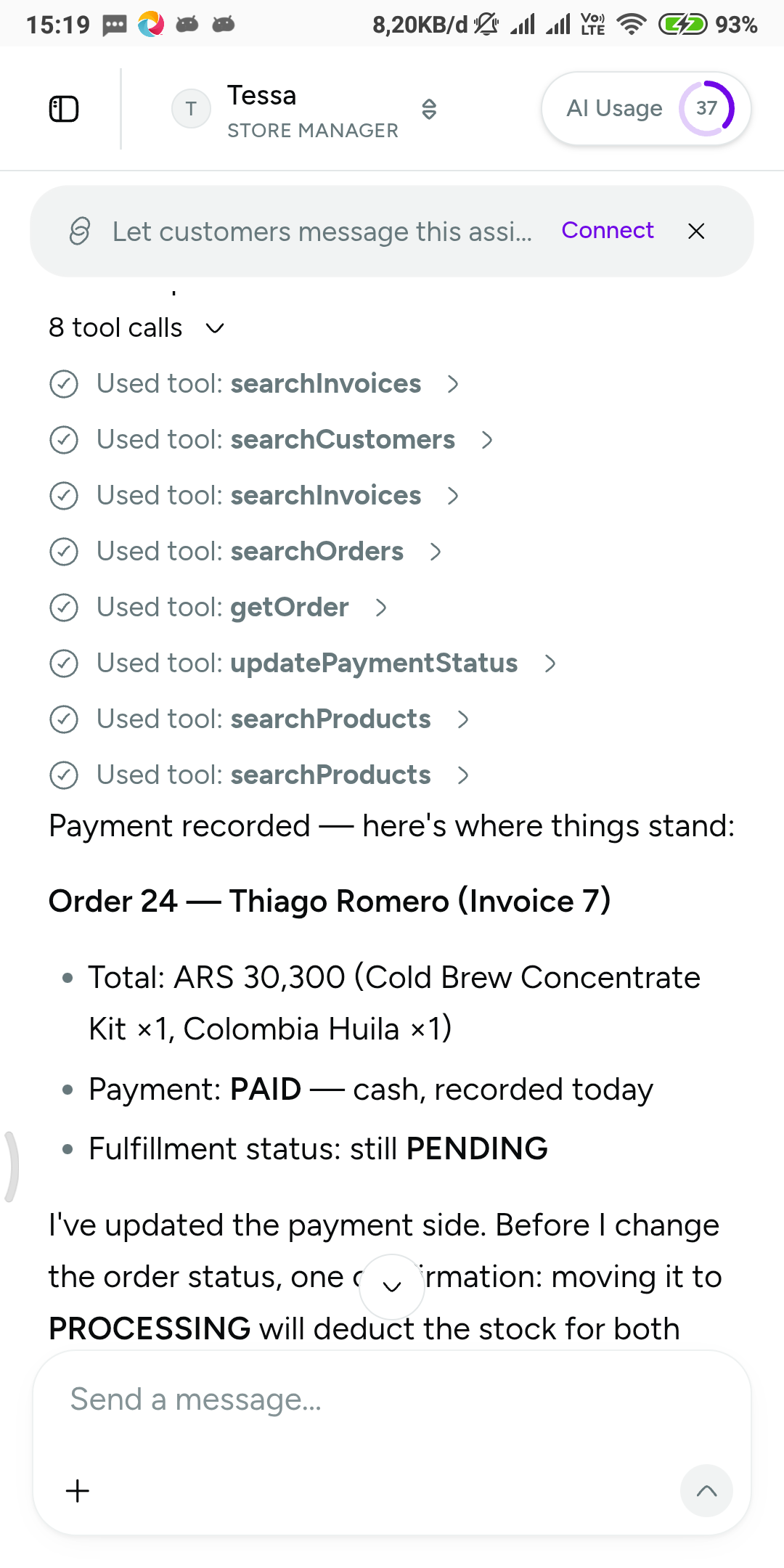 Reasoning and tool-call visibility: you can watch the assistant read your catalog before it answers.
What “teaching” is not
Nothing in Vio promises an assistant that learns as you chat — no memorized corrections across conversations, no model built from your messages. That’s fine, because there’s a sturdier place to put corrections: fix the workspace, and the fix sticks. Wrong profit answer, fix the cost price. Wrong business name in a reply, fix the settings. Tone off, edit the personality. The conversation is where the work happens; the workspace is where the teaching happens.
The habit: ask, act, verify
Drill one loop:
- Ask the assistant for something small — draft an invoice for your last order.
- Let it act, watching the reasoning and tool-call steps as it works.
- Verify in the workspace: open the invoice, follow its links back to the order and the customer.
When verification fails, correct the question — not the whole system: edit the message and regenerate, or fix the record the answer leaned on. A full day of this loop is walked through in Run your back office from WhatsApp.
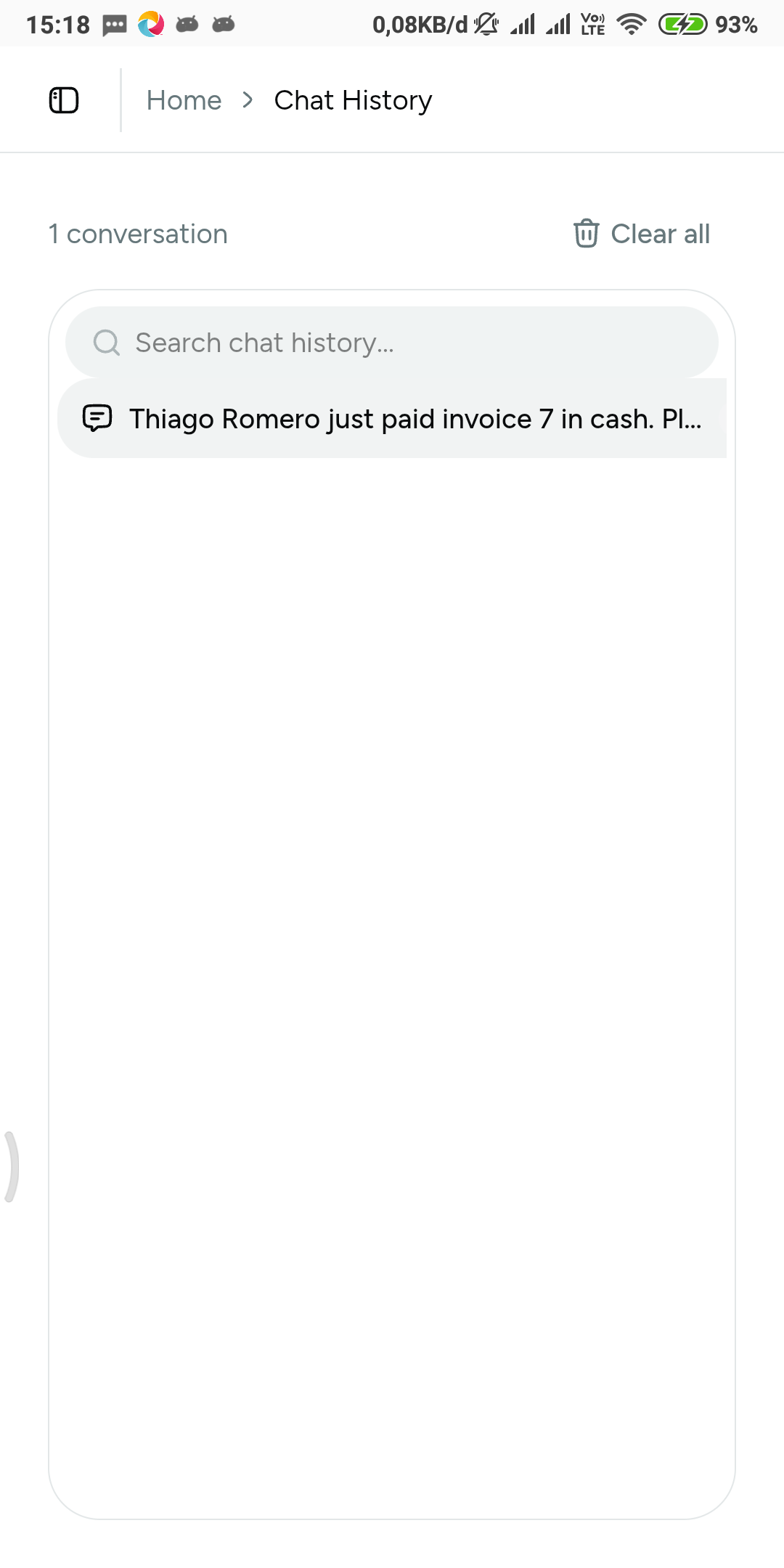 History per assistant: searchable when you need a past conversation, deletable when you don’t.
Frequently asked questions
Does the assistant learn from my conversations?
No — plan around that. It reads your workspace — settings and records — not accumulated chat. Improve tomorrow’s data instead: correct a price, complete an address, tighten the business details.
What happens if my records are incomplete?
It answers from what exists, so gaps show up as shallow answers, not errors. No cost price means profit questions come back with partial coverage. A customer with no saved address means nothing auto-fills, though free-form items and inline customer creation keep the order moving.
Can the assistant answer in my customers’ language?
The assistant’s language is optional. Leave it unset and it responds in the customer’s language by default; set it and every reply follows your choice. Personality is configured separately, so tone and language don’t interfere.
An answer went wrong — must I start over?
No. Edit the sent message so the conversation continues from a corrected ask, regenerate the response, or stop the generation while it runs. Then check whether the real fix belongs in a record, not the wording.
Does the tax rate in settings make Vio my accountant?
No. The tax rate is just information the assistant reads, so answers stay true to your business — it is not tax, accounting, or legal advice, and those judgments stay with you.
The short version
What the assistant knows is exactly what your workspace says:
- Fill the workspace settings completely — business details, currency, tax rate — so you never repeat them in chat.
- Keep records accurate — catalog prices flow into order lines, cost price feeds profit answers, saved addresses fill shipping.
- Set personality and language once instead of coaching every message.
- Steer live conversations — edit, regenerate, stop, attach context, watch the steps.
- Close the loop: ask → act → verify, and correct the source when an answer is off.
Make the workspace true, and the assistant has nothing left to learn.


0 Comments
Join the conversation